KLASE on Mobile
Same seven named actions as PC, on-screen buttons, and a thumb plan for classrooms and the courtyard.
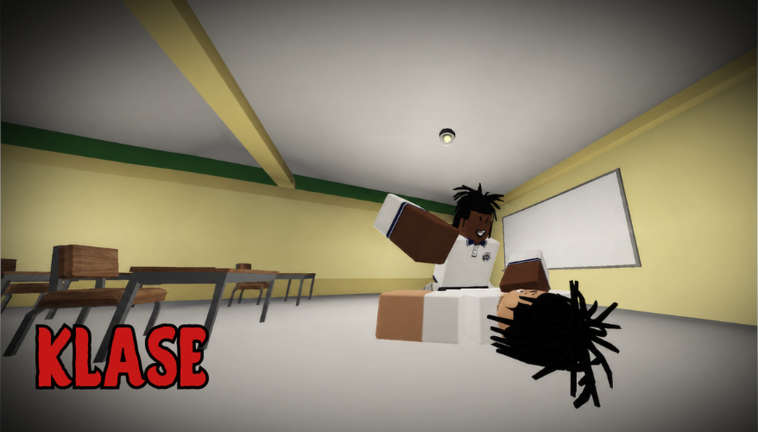
KLASE is a free Roblox battlegrounds fight. You can join from a phone. The official description still lists PC letters — T stomp, Q dash, E Glory, G slam, R heavy, F block/parry, Ctrl crouch — but mobile fires the same named actions from on-screen buttons. This page is the phone guide: how to join, where to put your thumbs, what changes in a classroom versus the courtyard, and what not to hunt in a settings menu. If you have never loaded the place, read Getting Started first. The full key table lives on Controls.
Place 119167442172024, universe 6949043989, creator bertingkuno. Servers hold up to 50 players. Avatars morph to R6. As of 3 September 2026 there are still no official promo codes, Discord, Trello, badges, or game passes. A phone does not magically add a redeem box. Check Codes after a patch, then come back to fighting.
Join on a phone without picking a copy
Open the official Roblox listing, confirm the creator is bertingkuno, and favorite the experience. Copies reuse the school-brawl pitch. The official links page is the bookmark. After load you spawn on the campus in a school-uniform morph, same as PC. There is no mobile-only tutorial island.
If the HUD looks empty after a Roblox UI scale change, leave the server and rejoin, then check Latest Update in case a patch moved buttons. Do not invent a second gesture. The official kit is the named actions, not a hidden swipe.
Put Dash and Parry under your thumbs
On a phone you cannot hunt T and G on a keyboard while someone slams you. Place the virtual stick so you can still see the statue. Put Dash (PC Q) and Block/Parry (PC F) where your thumbs reach without covering the camera. Those two buttons are how you enter, refuse, and leave a 50-player courtyard.
Heavy, slam, and stomp can sit a little farther out. They are committed. You press them after a read, not as panic. Glory should be the hardest button to mash by accident. If E is next to jump, you will waste finishers in piles. Crouch is useful behind desks and a liability in the open flag circle — see the campus map.
A simple mobile priority:
- Camera and stick, so you can count bodies.
- Dash, so you can leave.
- Parry, so you can refuse a heavy.
- One committed button (heavy on the lawn, slam or stomp in a boxed aisle).
- Glory only when the other player is already finished and the frame is empty.
That order matches Combat and How to Win. The phone does not change the rules. It only changes how fast a miss costs you.
Courtyard versus classroom on a small screen
The courtyard is wide. Straight dashes are readable. Approach on an angle, stop outside heavy range, and let someone whiff. Then dash in, heavy, dash out toward the green-roof building. Do not Glory at the flag. Your phone screen already hides off-camera students; a pile is worse.
Classrooms are the opposite. Desks cut dash lines. Aisles force slam and stomp. The whiteboard is a wall. You cannot always outrun a swing, so F matters more. Peek the room before you commit G. If three uniforms are already inside, leave. A 1v1 in a quiet room is a phone fight you can win. A packed classroom is a thumb jumble.
Hallways are chokes. Do not plant a long heavy in a doorway. Dash through. The campus map names the statue, flag, OFFICE hallway, and yellow rooms so you have a reset landmark when the camera panics.
Mobile mistakes that look like lag
Most “this game is unplayable on phone” reports are layout problems:
- Jump and Glory too close, so you finish the air.
- Parry buried, so you eat every heavy and blame ping.
- Stick covering the statue, so third parties arrive as surprises.
- Crouch in the open because it was the nearest button.
- Two committed buttons in a row because the first one missed and your thumb bounced.
Fix the HUD before you download a script. Client extras break Roblox Terms of Use and will not make F easier. Read script safety and stay on the official kit.
Kalye Impyerno players have a second problem: old muscle memory. That place used G as finisher and F as stomp. In KLASE, F is defense and E is Glory. On a phone the labels should match the names, not the old street binds. Spend one idle minute on an empty courtyard edge pressing each button once. Then take a perimeter 1v1. Printable names are on the control sheet. A pre-session pass is the fight checklist.
Combos and parry still work with thumbs
You do not need a twenty-hit string. Dash in, one committed hit, stomp only as a follow, Glory only as a closer. That is the whole combos lesson, and it is easier on mobile if you refuse to mash. Parry timing is a look, not a frame chart the listing does not publish. Watch the heavy wind-up, press F, then punish. Details sit on How to Parry.
Aggressive phone players who only hold Heavy will still win games until they meet someone who dashes out and waits. Defensive phone players who only hold F will stall until they learn one punish. Pick a habit on Aggressive or Defensive, then check the moves tier list so you know which buttons deserve practice time.
After a patch, re-check the HUD
When the Roblox Updated date moves, run the latest update list: confirm the seven named actions still exist, look for a codes field that was not there yesterday, and walk one classroom. Mobile buttons can shift even if PC letters stay. If a label disappears, every route on this wiki is suspect until rewritten.
Until then, treat the phone as the same campus fight with a smaller camera. Join the real listing, put Dash and Parry under your thumbs, fight the edge of the courtyard, and leave piles. The Guides Hub maps the rest.
Frequently Asked Questions
Quick answers for KLASE combat, codes, and campus fights.
Can I play KLASE on mobile?
Yes. Join the official Roblox listing on a phone. On-screen buttons fire the same named actions as the PC keys on Controls.
Which mobile buttons should I prioritize?
Dash and Parry first, then one committed hit. Keep Glory hard to mash. Crouch belongs behind desks, not on the flag.
Is there a mobile-only kit or extra swipe?
No. The official kit is the seven named actions. Do not invent gestures because a clip looked fancy.
Why do I lose more on phone than on PC?
Usually HUD and camera, not a hidden stat. If Parry is buried or the stick covers the statue, you eat third parties. Read Combat and the campus map.
Do codes work differently on mobile?
No. As of September 2026 there are still no official codes. The codes hub stays empty until the listing publishes a string.